Utilities
(1) Shortcuts for Mac
To use the 新規ファイル作成 (New File) shortcut, place Blank.docx, Blank.xlsx, Blank.pptx, Blank.md and Blank.txt in ~/Library/Application Support/NewFileTemplates/.
Customising the AppleScript lets you add more file types, and you can also adapt it to use templates that already have content in them.
“Cursorでフォルダを開く” (Open folder in Cursor) can of course be changed to VSCode just as easily.
“パスをコピー” (Copy path) supports multiple files.
Some security permissions may need to be granted in System Settings.
(2) BatchFolderCopy
If you can’t download:
Chrome’s warning is based on reputation. Safety has been confirmed.
You can download it by selecting “Download suspicious files” in Chrome’s download bar.
Or, download it from Safari or Firefox.
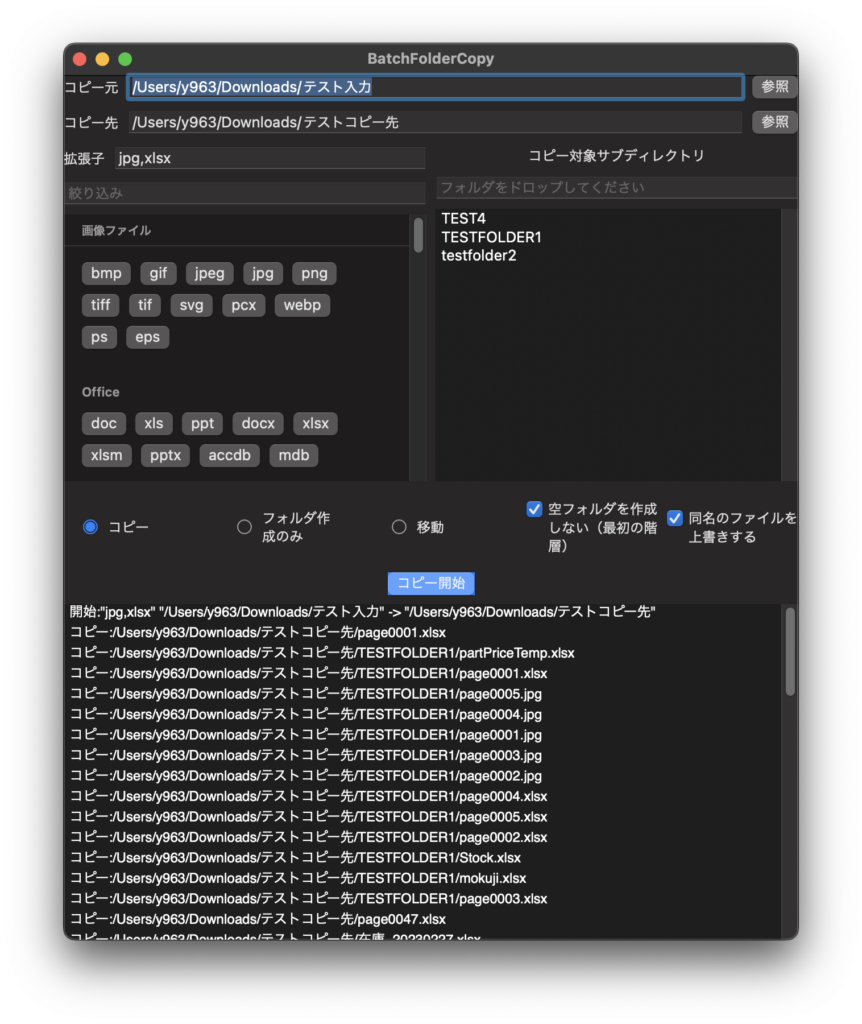
This is an application that can batch copy only the files with the specified extensions in the specified subfolders.
The extension list can be narrowed down and can be changed by editing BatchFolderCopyExtensions.yaml in the same hierarchy as the application.
For Mac only. English localized.
(3) SimpleRenamer
If you can’t download:
Chrome’s warning is based on reputation. Safety has been confirmed.
You can download it by selecting “Download suspicious files” in Chrome’s download bar.
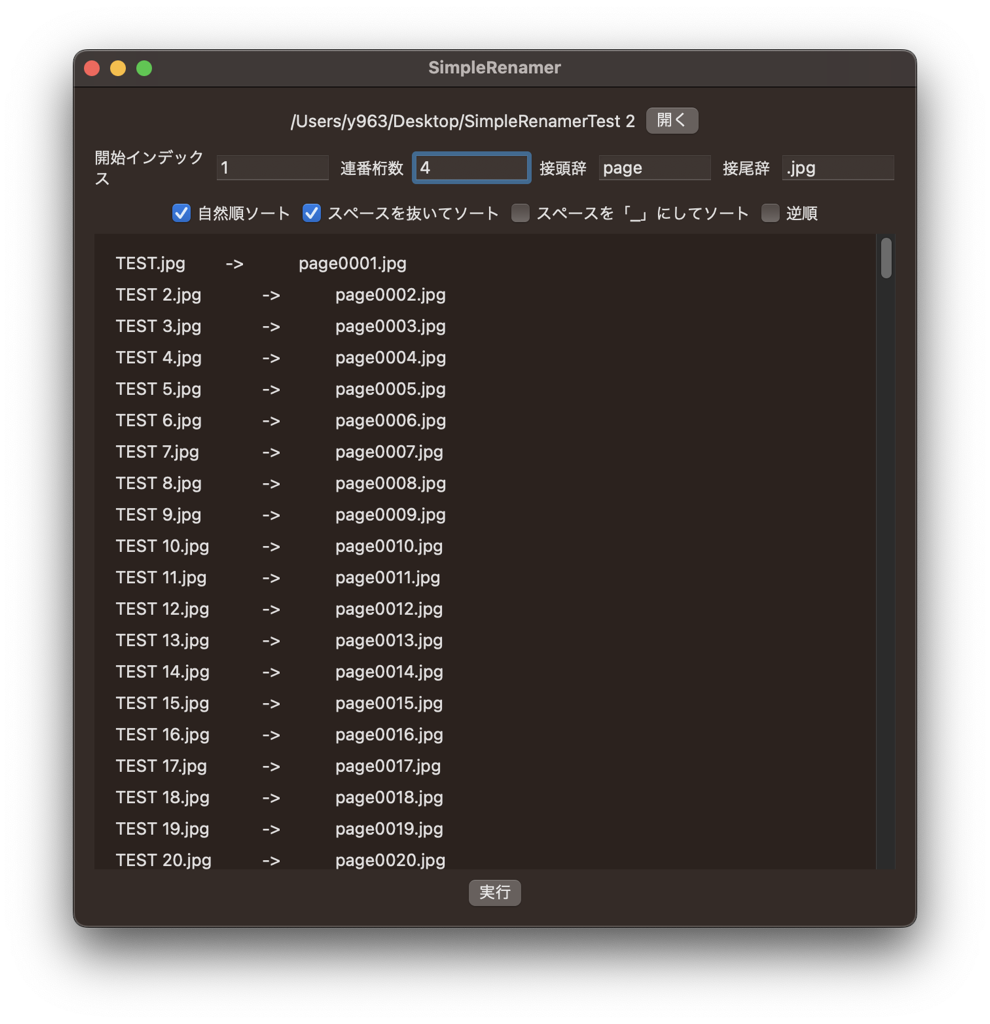
A simple file renamer utility for Mac that specializes in serial numbering.
You can sort by natural order, sort without spaces, etc. So for example, you can rename JPEG files exported from PDF with Automator while maintaining the page order.